How to use autotune in Logic Pro
- Quit Logic Pro and run the Mac installer.
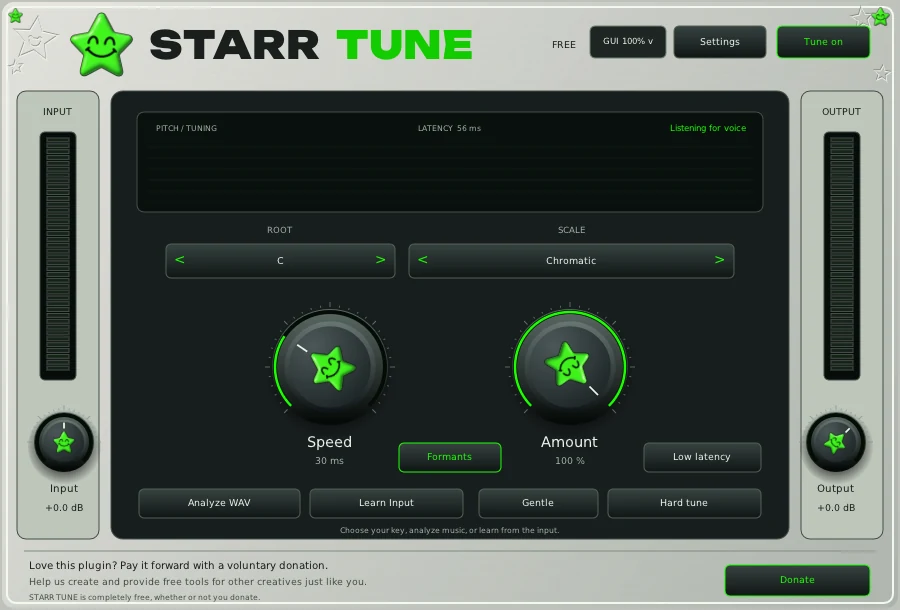
- Open Logic Pro, click an Audio FX slot on the vocal channel, open Audio Units and pick the STARR plugin.
- If it is missing, open the Plug-in Manager in Logic settings and choose Reset & Rescan Selection.
Presets in Logic Pro
The Vocal Collection loads as one full chain in FL Studio only. In Logic Pro, load the individual AU plugin states it includes, or enter the settings from its parameter guide.
Build the chain
- STARR TUNE, free. Tuning first, on the dry vocal.
- STARR EQ, $29.99. Body, mid, presence and air.
- STARR COMPRESSOR, $19.99. One knob holds the vocal up front.
- STARRBABY VOX, $49.99. Tuning, dynamics, tone and space in one window.
- STARR EFFECT, in the bundle. Echo and atmosphere from one main knob.
Want all of it? The bundle has VOX, COMPRESSOR, EQ, EFFECT and all ten presets for $119.99. STARR TUNE stays free for everyone.
Questions
Does STARR TUNE run on Apple Silicon?
Yes. The Mac installer supports Apple Silicon and Intel on macOS 11 or later, and STARR TUNE is free.
Does it work in GarageBand?
GarageBand loads Audio Units, and every STARR plugin installs an AU on Mac. Test it on a copy of your project first.
Auto-Tune is a registered trademark of Antares Audio Technologies. STARR plugins are independent and not affiliated with Antares. FL Studio, Pro Tools and Logic Pro are trademarks of their owners.