How to use autotune in GarageBand
- Quit GarageBand and run the STARR TUNE Mac installer.
- Open your project and select the vocal track. Open Smart Controls, then the Plug-ins area.
- Click an empty plug-in slot, choose Audio Units, then Starrbaby, then STARR TUNE.
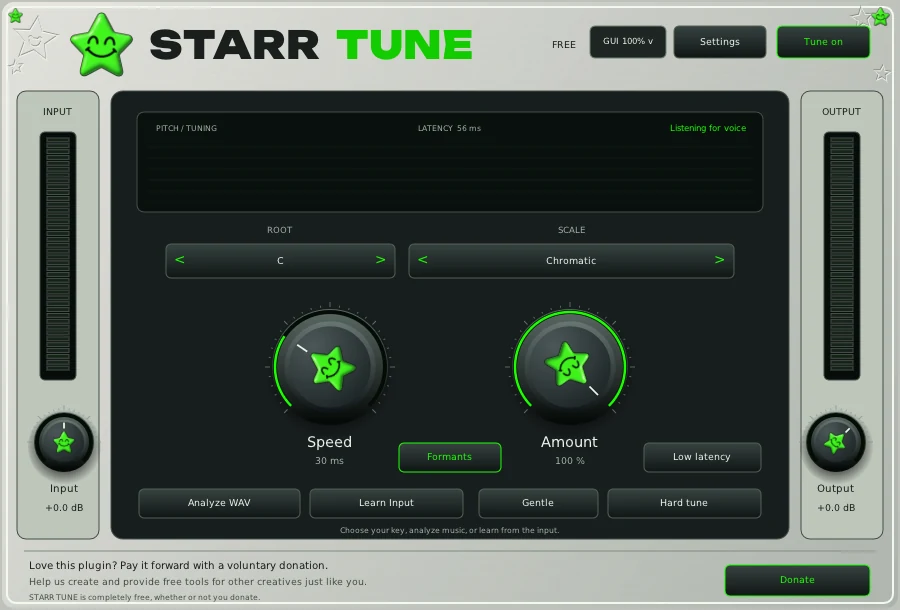
- Set Root and Scale to your song, or use Analyze WAV on your instrumental for a key suggestion. Press Hard tune for the robotic sound or Gentle for a lighter touch.
GarageBand pitch correction or STARR TUNE?
GarageBand has its own pitch correction slider in the track editor. STARR TUNE adds a chosen key and scale, a Speed control from 1 to 100 ms, an Amount control, formant preservation and a low latency mode for recording. If the slider is not giving you the sound you hear on records, that is what STARR TUNE is for.
Build the chain
- STARR TUNE, free. Tuning first, on the dry vocal.
- STARR EQ, $29.99. Body, mid, presence and air.
- STARR COMPRESSOR, $19.99. One knob holds the vocal up front.
- STARRBABY VOX, $49.99. Tuning, dynamics, tone and space in one window.
- STARR EFFECT, in the bundle. Echo and atmosphere from one main knob.
Want all of it? The bundle has VOX, COMPRESSOR, EQ, EFFECT and all ten presets for $119.99. STARR TUNE stays free for everyone.
Questions
Is there free autotune for GarageBand?
Yes, on a Mac. STARR TUNE is a free Audio Unit, and GarageBand lists it under Audio Units, Starrbaby.
Does it work in GarageBand on iPhone?
No. GarageBand on iPhone and iPad cannot load desktop plugins. STARR TUNE needs GarageBand on a Mac.
Auto-Tune is a registered trademark of Antares Audio Technologies. STARR plugins are independent and not affiliated with Antares. FL Studio, Pro Tools and Logic Pro are trademarks of their owners.